Getting started

From a fresh install to your first logged flight in about five minutes.

Set up your pilot profile Optional

On first launch AeroLog asks for your name, licence number and home base. Your name and licence number appear on the PDF logbooks you export later — everything else in the app works without them.

You can fill this in or change it any time under Settings ▸ Profile ▸ Pilot Profile.
Add your first aircraft

A flight is always linked to an aircraft, so add one before you log anything. Open the Aircraft tab and tap +.

Only the registration is required. Manufacturer, type, category and engine class can wait — until you add them the aircraft is simply marked “Details missing”.

In a hurry? You can also create an aircraft without leaving the flight form, using Add Aircraft… right under the aircraft picker.

Log your first flight

Tap + on the Dashboard or in the Logbook. Four things are required before a flight can be saved:

  • the aircraft you flew
  • a departure airport (From)
  • a destination airport (To)
  • a flight time greater than zero

Everything else — block time, PIC, SIC, dual, instructor, day, night, IFR, landings, approaches and notes — is optional and can be added whenever you need it.

Two shortcuts worth knowing: fill in Start and End and the flight time is calculated for you, even across midnight. And in the time fields you just type digits — 130 becomes 01:30.

Bring your existing logbook over If you have one

Already logging elsewhere? Import before you start typing. Open Settings ▸ Data ▸ Import CSV and pick your file.

  • ForeFlight and Garmin Pilot exports are recognised automatically
  • Any other CSV works too — you map the columns yourself
  • You see a full preview before anything is written
  • Flights already in your logbook are detected and skipped

Aircraft found in the file that you don’t have yet are created for you, ready to complete under Aircraft.

Check your times after an import. Whole numbers up to 24 are read as hours and anything above as minutes, so 1.5 and 1:30 both mean an hour and a half, while 90 means ninety minutes. The preview screen shows exactly what will be imported — it’s worth a look before you confirm.

After the flight

Land, then write it down.

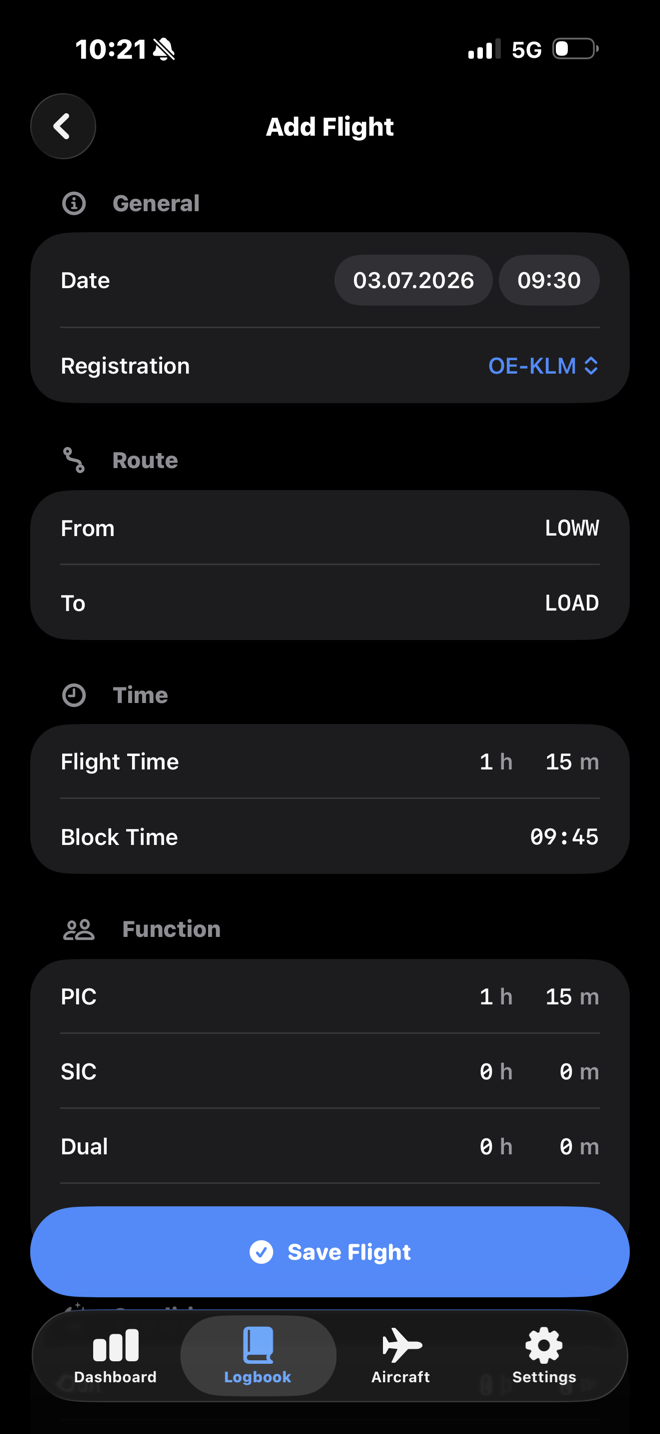
The classic way: open AeroLog and fill in the form. Everything sits on one screen, grouped the way a logbook page is.

  • Four required fields, the rest optional
  • Warnings catch typos without ever blocking a save
  • Airport autocomplete over 22,000 airports, offline Pro
The Add Flight screen, showing the general, route and time sections of the flight form.

During the flight Pro

Or let AeroLog time it.

Tap Start Flight on the Dashboard, pick your aircraft, and a Live Activity runs the clock on your Lock Screen and Dynamic Island.

  • Finish, and the entry opens pre-filled with the recorded time
  • From and To are filled in from the nearest airport
  • A running session survives closing the app — or a restart
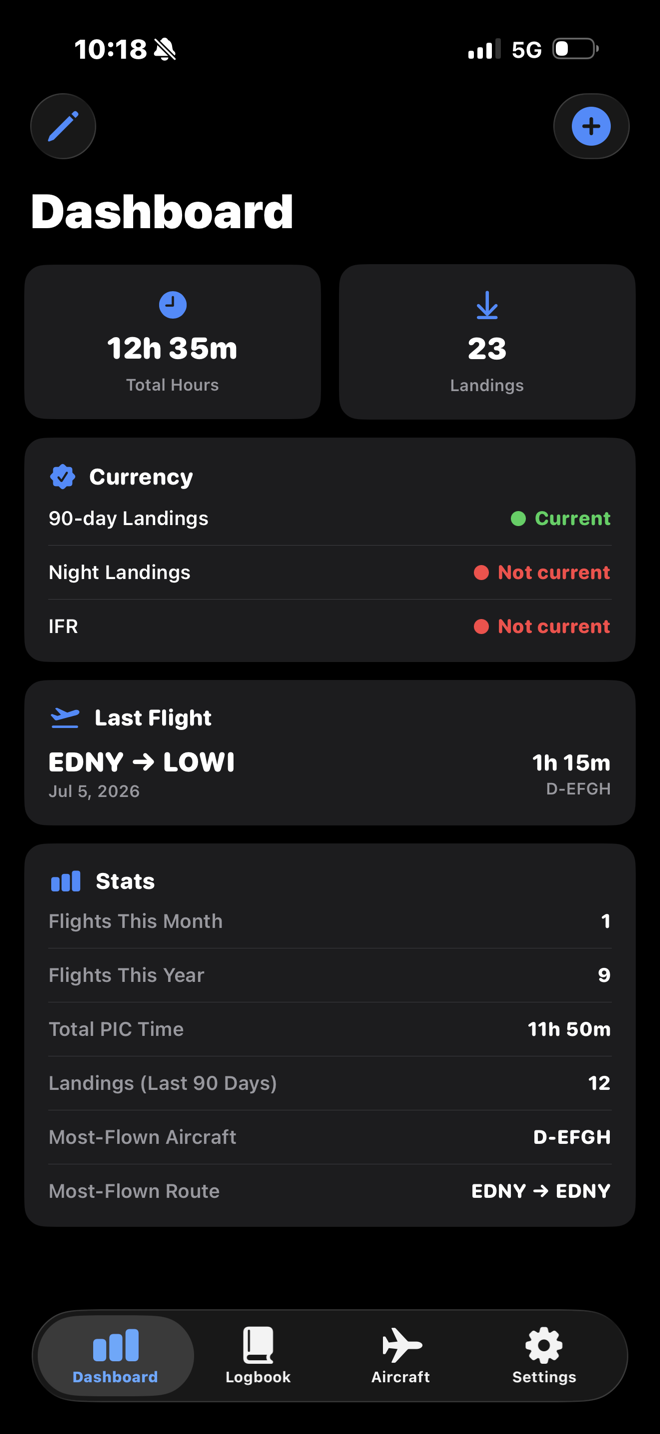
The AeroLog dashboard, with the Start Flight card, totals, currency status and statistics.

Once a few flights are in

The rest of AeroLog builds itself out of the flights you’ve logged. Nothing here needs separate upkeep.

Make the dashboard yours

Tap the pencil to swap any tile or row for one of sixteen metrics, or hide a card entirely. Reordering and reset live under Settings ▸ Customize Dashboard.

Watch your currency Pro

90-day landings, night landings and IFR approaches, checked against EASA or FAA thresholds, with the expiry date and days remaining for each.

Get warned in advance Pro

Smart Reminders turn those expiry dates into notifications, 1 to 30 days ahead and again on the day. They recalculate every time you log a flight.

See where the hours go Pro

Hours by aircraft type and by month, your PIC, SIC, dual and instructor split, and the five routes you fly most.

Export when you need to

CSV export is free and covers every field. PDF export renders a print-ready EASA Part-FCL or FAA 61.51 logbook for any date range. Pro

Back it up

One JSON file with every flight, every aircraft and every field. Restoring only ever adds — it never deletes or overwrites what’s already there.

Questions that come up early

Why can’t I save my flight?

One of the four required fields is empty: aircraft, From, To, or a flight time above zero. The alert names exactly which ones are missing.

If the aircraft picker is empty, add an aircraft first — either in the Aircraft tab or with Add Aircraft… inside the flight form.

An orange warning appeared, but it still let me save. Is that a bug?

No — that’s intentional. Warnings flag unusual combinations, like PIC time exceeding flight time or night landings exceeding total landings. There are legitimate reasons for every one of them, so they never block a save. They’re there to catch typos.

How do the time fields work?

Tap the field and type digits. They fill in from the right as HH:MM — 130 gives 01:30, 45 gives 00:45. Minutes cap at 59 and the largest entry is 99:59.

Or skip it entirely: fill in Start and End, and the flight time is worked out for you, including flights that cross midnight.

Does AeroLog sync between my iPhone and iPad?

No. Your logbook is stored on the device — there’s no account and nothing is uploaded to a server. Each device keeps its own logbook.

To move your logbook to another device, or to a new phone, use Settings ▸ Data ▸ Backup & Restore. Restoring merges: it adds what’s missing and never deletes or overwrites what’s already there, so it’s safe to run more than once.

Can I import from ForeFlight or Garmin Pilot?

Yes. Both export formats are recognised from the header row and mapped automatically, and any other CSV can be mapped by hand. Date, From, To and Flight Time must be present; everything else is optional.

You always see a preview first — how many flights parsed, which rows failed and why, and which aircraft will be created. Flights that match one already in your logbook on day, route and flight time are skipped, so re-importing the same file is harmless.

Can I rely on the currency display?

Treat it as a prompt to look, not as proof that you’re legal. AeroLog counts the landings and approaches you’ve logged — 3 landings in 90 days, 1 night landing under EASA or 3 under FAA, 6 instrument approaches in 6 months.

It does not check aircraft category, class or type, whether landings were to a full stop, whether they fall inside the regulatory definition of night, or the holding and tracking requirements attached to instrument recency. The regulations that apply to you always win.

What do I actually get for free?

Unlimited flights and aircraft, the dashboard and its customization, search, filtering and sorting, CSV import, CSV export, and backup and restore. There’s no flight limit and no trial clock.

Pro adds live flight recording, airport autocomplete, currency tracking, smart reminders, analytics and PDF export. See the full comparison.

I bought Pro, but the app still shows Free.

Open Settings ▸ Subscription ▸ Restore Purchases, signed in with the Apple Account you bought it with. This is also what to do after setting up a new device.

Ready when you are.

Download AeroLog and log the flight you just flew.